BuiltSum for contractors
QuickBooks AIA billing: build the pay app once, post the invoice once
QuickBooks keeps the books. BuiltSum builds the G702/G703-style application, rolls it forward every period, holds retainage, and then sends QuickBooks Online the one thing it needs: an invoice for the amount currently due, tied to the right customer, never twice.
How the QuickBooks sync works
Connect once per company
Authorize QuickBooks Online from Settings. The connection belongs to your organization, not to one login, and BuiltSum keeps the token fresh in the background so it does not silently expire between billing cycles.
Export the certified application
When the architect or GC certifies a pay app, post it. BuiltSum finds the customer in QuickBooks by name or creates it, creates a 'Progress billing' service item the first time, and writes one invoice for the current payment due with the application number in the memo.
Retainage stays honest
Retainage withheld is not money you can collect this month, so the invoice QuickBooks receives is the certified amount net of retainage. BuiltSum tracks the running retainage balance per project, and the application that releases it posts to QuickBooks like any other, which keeps receivables equal to what is actually collectible.
What QuickBooks does on its own, and where it stops
Standard QuickBooks Online progress invoicing bills a percentage or a fixed amount of an estimate. That is the right shape for a kitchen remodel. In 2026 Intuit added phase-based, AIA-style invoicing to QuickBooks Online Advanced, which bills each project phase by percent complete and shows paid-to-date and balance, a real step toward commercial billing.
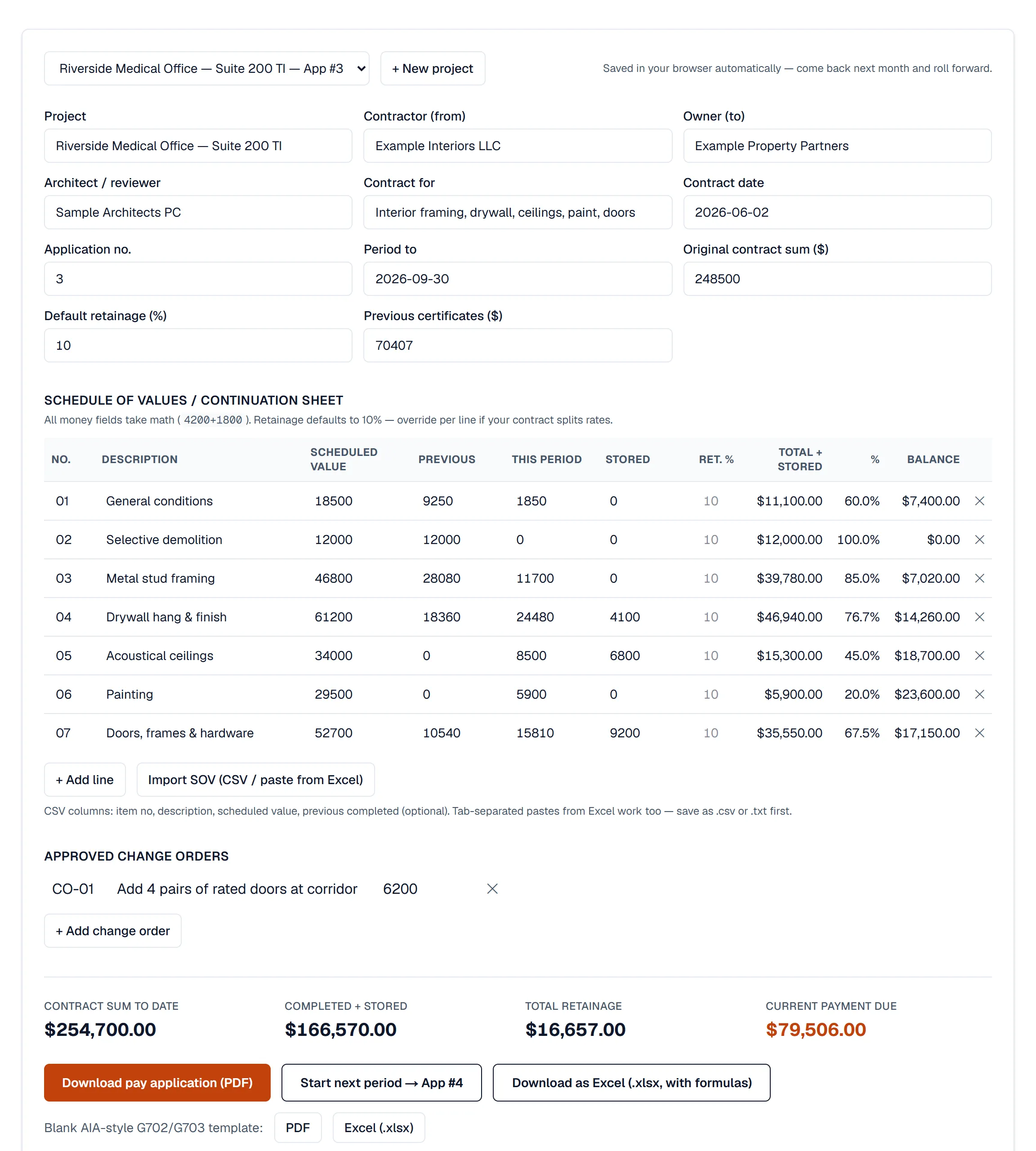
What a general contractor reviewing a subcontract application usually wants is more specific: every schedule-of-values line with its scheduled value, work from previous applications, work this period, materials presently stored, total to date, percent complete, balance to finish and retainage, on a G702/G703-style form that ties to last month’s certificate. Intuit’s documentation does not describe retainage, stored materials or that form. If your GC accepts a phase invoice, QuickBooks Advanced may be enough. If they require the full application, or you are on a lower QuickBooks plan, the application has to be built somewhere, and a spreadsheet beside QuickBooks tends to drift from the books by the third month.
The division of labor that works is the one accountants already prefer: the estimating and billing system owns the contract math, QuickBooks owns the ledger. BuiltSum produces the application the GC will certify, and QuickBooks receives the invoice that matches the certificate. Job cost detail, crew hours and commitments stay in job costing, where they are compared against the estimate rather than against the chart of accounts.
Small jobs that never need a pay application go the other way through straight invoicing, and the free pay application generator lets you produce the AIA-style document with no account at all if all you need this month is the PDF.
The monthly routine, with QuickBooks in the loop
- Update percent complete per line and any stored materials; BuiltSum rolls previous certificates forward and computes the payment due.
- Send the certification link. The architect or GC opens it, reviews, and certifies with their name and the date.
- Post to QuickBooks. One invoice appears under the customer with the amount certified, ready for your usual receivables workflow.
- When retainage is released at substantial completion, the releasing application carries it, and that application posts to QuickBooks like any other, so the release is traceable.
Frequently asked questions
Can QuickBooks do AIA billing on its own?
Partly, since 2026. QuickBooks Online Advanced (Intuit lists it with the QuickBooks Construction add-on) now has AIA-style invoicing by project phase: invoices generated from the percent complete of each phase, showing what has been paid, what this bill covers and the balance. Intuit's documentation does not mention G702/G703-style forms, retainage, stored materials or previous-certificate roll-forward, and the feature is listed for Advanced, not the lower QuickBooks Online plans. If your GC requires a G702/G703-style application with retainage, you still produce that document elsewhere and post the certified amount to QuickBooks.
What exactly gets sent to QuickBooks Online?
One invoice per pay application: the customer (matched by name or created), an invoice line against a 'Progress billing' service item for the current payment due, the application number and period in the memo, and the invoice date. Retainage is withheld inside that math, so the invoice equals the certified amount, and the retainage balance stays tracked in BuiltSum until the application that releases it, which posts the same way.
Does it work with QuickBooks Desktop?
Direct sync is QuickBooks Online only. Desktop users still get the full AIA-style pay application, retainage tracking and certification links, and enter the single invoice total in Desktop by hand, which is one number per month rather than the whole continuation sheet.
Will a pay app ever be posted twice?
No. Each pay application stores the QuickBooks invoice id it created, so re-exporting the same period is refused rather than duplicated. Editing the application after export shows the invoice as out of date instead of silently sending a second one.
AIA billing that ends in QuickBooks, not in a spreadsheet.
QuickBooks Online sync is included on every paid plan. Unlimited projects, free field users, 14-day trial, no card.
Start free